

What’s In This Guide
- What Is a Data Center Relocation Checklist?
- Why Does the Physical Move Need a Formal Plan?
- What Are the Most Common Data Center Relocation Mistakes?
- How Do You Build a Data Center Relocation Checklist?
- Who Handles Testing After the Physical Move?
- When Should You Bring In a Professional Moving Team?
- Frequently Asked Questions
- Ready to Plan a Secure Data Center Relocation?
Moving a data center is one of the highest-stakes projects a business can take on. Servers, racks, and network hardware carry both physical value and operational value, and a single misstep can interrupt services your entire company depends on.
A structured data center relocation checklist keeps the project accountable, protects equipment through every handoff, and gives IT, facilities, and leadership one shared plan to work from.
Quick Facts
- A data center relocation covers the physical move of servers, racks, and cabinets, while a migration plan covers applications, workloads, and data.
- Single project ownership with documented stakeholder roles prevents the accountability gaps that cause missed shutdown windows and delivery delays.
- Asset labeling, chain-of-custody logs, and serial-number tracking protect equipment through every handoff between crews, vendors, and technicians.
- Destination-site readiness checks, including power, cooling, and floor loading, must be verified before any hardware leaves the origin facility.
- Interstate equipment transport requires an FMCSA-registered carrier with an active USDOT number.
What Is a Data Center Relocation Checklist?

A relocation checklist is a documented plan that governs the physical movement of IT infrastructure from one facility to another. The checklist assigns ownership, tracks every asset, sequences the move, and defines how equipment is protected, transported, verified, and reconciled at the destination.
One distinction matters before planning begins. A data center relocation refers to the physical side of the project: de-racking, packing, transporting, and delivering servers, cabinets, and supporting hardware. A data center migration checklist covers technical work such as transferring applications, workloads, systems, and data between environments.
Both tracks run in parallel on most projects, but they involve different teams. Professional movers handle the logistics and physical transport. Internal IT staff or specialist vendors handle network configuration, system cutover, cybersecurity, and application testing. Keeping those responsibilities separate on paper prevents dangerous assumptions on move day.
Why Does the Physical Move Need a Formal Plan?
Because hardware failures and procedural breakdowns during a move can translate directly into downtime, and downtime is expensive. In Uptime Institute’s 2025 research, nearly 40% of organizations experienced major human error outages over a three-year period, with the vast majority tied to ignored or inadequate procedures. The lesson applies squarely to relocations: written procedures, followed precisely, are the strongest protection a project has.
The financial exposure is significant as well. Uptime’s 2026 analysis found that 57% of operators said their most recent major outage cost more than $100,000. A relocation checklist exists to keep the physical move from becoming the trigger for that kind of loss.
What Are the Most Common Data Center Relocation Mistakes?
Most failed moves trace back to planning gaps, not transport accidents. The patterns repeat across projects of every size:
- No single project owner. When responsibility is spread across IT, facilities, and vendors without a lead, decisions stall and details fall through.
- Incomplete inventory. Undocumented hardware cannot be tracked, insured under valuation coverage, or reconciled after delivery.
- Unverified destination sites. Equipment arrives before power circuits, cooling capacity, or rack layouts are confirmed, forcing costly staging delays.
- Missing access arrangements. Unreserved freight elevators, unbooked loading docks, and unsecured parking permits can stop a move mid-stream.
- Weak chain of custody. Without signed handoffs, a missing server becomes a dispute instead of a traceable event.
How Do You Build a Data Center Relocation Checklist?

Work through the following steps in order. Each one feeds the next, and skipping ahead almost always creates rework.
Step 1: Assign Project Ownership and Stakeholder Roles
Name one relocation lead with the authority to make scheduling and escalation decisions. Then document who owns each workstream: IT leadership for the data center migration plan, facilities for building coordination, department heads for communication, and the moving partner for transport logistics. Publish the roster with contact details so no one guesses who to call when something changes.
Step 2: Create a Complete Equipment and Asset Inventory
List every server, switch, storage array, PDU, cable tray, spare part, and peripheral scheduled to move. Record make, model, serial number, current rack location, and destination location for each item. A thorough data center equipment relocation checklist starts here, because inventory accuracy determines whether reconciliation at the destination is a formality or a crisis.
Step 3: Document Racks, Cabinets, and Connections
Photograph every rack front and back before anything is disconnected. Map cable runs, port assignments, and power connections, and export current configuration records. This documentation belongs to the IT team, but it also guides the physical crew on the de-installation order and helps technicians rebuild each cabinet exactly as it stood.
Step 4: Confirm the Destination Site Is Ready
Verify power capacity, circuit assignments, cooling performance, floor loading limits, and physical security at the new facility before the move date. Confirm that rack positions match the documented layout. Hardware should never leave the origin site until the receiving environment can accept it the same day.
Step 5: Develop the Move Sequence and Shutdown Windows
Decide what moves first, what moves last, and what must remain live until final cutover. Many organizations sequence data center migration steps in phases so critical systems stay operational while lower-priority hardware travels ahead. Align shutdown windows with the IT team’s schedule, and build the transport timeline around those windows rather than the reverse.
Step 6: Label Every Asset and Establish Chain of Custody
Apply durable, scannable labels to each device, and log every handoff from de-installation through delivery. Chain-of-custody procedures record who touched each asset, when, and where, with signatures at each transfer point. For equipment holding sensitive data, this documentation is not optional. It is the audit trail your security and compliance teams will ask for.
Step 7: Arrange Specialized Packing and Equipment Protection
Servers and network hardware need anti-static protection, shock-absorbing crates or padded server carts, and climate-aware handling. Heavy cabinets may require rigging equipment, ramps, or lift gates. Experienced commercial crews bring purpose-built materials for electronics rather than adapting household packing methods to enterprise hardware.
Step 8: Coordinate Building Access and Loading Requirements
Reserve freight elevators, loading docks, and parking at both facilities. Confirm certificates required by property managers, after-hours access rules, and any union or security escort requirements. Access failures are among the most preventable causes of move-day delays, and they are resolved entirely in advance.
Step 9: Plan Contingencies and Escalation Contacts
Document what happens if a truck is delayed, a dock becomes unavailable, or a piece of hardware is damaged in transit. List escalation contacts for the moving crew, IT lead, facility managers, and key vendors, with backup names for each. Review valuation coverage options before transport so protection levels match the value of the shipment.
Step 10: Verify Delivery and Complete Inventory Reconciliation
Scan or check off every asset against the master inventory as it arrives. Note any damage immediately and photograph it before installation begins. Reconciliation closes the physical relocation: every item accounted for, every exception documented, every rack positioned per plan.
Who Handles Testing After the Physical Move?
Technical validation belongs to the IT team or specialist vendors, not the moving crew. Once hardware is delivered, installed, and reconciled, internal technicians take over the data center migration project plan: reconnecting networks, restoring workloads, validating applications, and confirming security controls before systems return to production.
A clean handoff between the two tracks is the mark of a well-run project. The physical team certifies that every asset arrived intact and in position. The technical team certifies that every system works. Neither side should absorb the other’s responsibilities, because blurred accountability is exactly how post-move problems go unowned.
When Should You Bring In a Professional Moving Team?
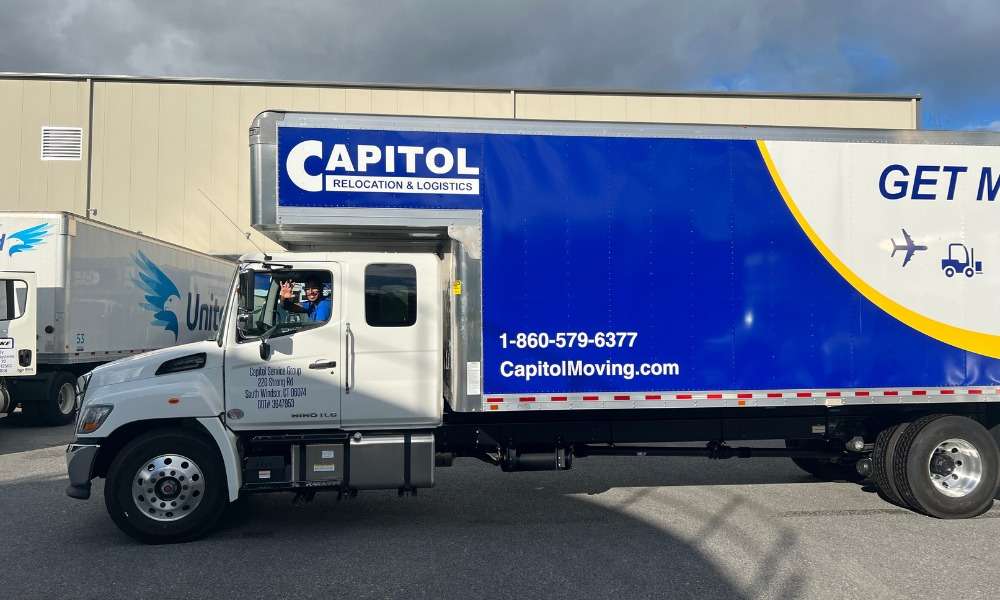
A professional moving team may be appropriate when the project involves specialized equipment, complex access, or tightly coordinated scheduling.
- Live enterprise hardware: Projects involving servers, racks, cabinets, and other technology equipment may require specialized handling and protective materials.
- Tight downtime windows: A coordinated moving team can help align physical transport with the schedule established by internal IT staff and other project stakeholders.
- Heavy or oversized equipment: Racks, cabinets, and similar equipment may require rigging, lift equipment, or additional handling support.
- Complex building access: Freight elevators, loading docks, parking restrictions, security procedures, and property requirements may need to be coordinated in advance.
- Interstate transportation: For moves crossing state lines, businesses should verify that the carrier is registered with the FMCSA and has a USDOT number.
- Project-specific cost factors: Pricing can vary based on equipment volume, distance, access conditions, rigging requirements, scheduling, and valuation coverage. A site review and detailed inventory can help clarify the expected scope and estimate.
READ MORE: Data Center Relocation Planning in South Windsor, CT, Starts Long Before Equipment Moves
Frequently Asked Questions
Can a data center relocation include equipment from network closets or satellite IT rooms?
Yes. Depending on the project, equipment outside the main data center may be included in the relocation scope. A data center equipment relocation checklist can identify those additional locations so pickup, labeling, and delivery needs are coordinated with the main move.
Can data center equipment be delivered to more than one location in Connecticut or Massachusetts?
It may be possible to divide equipment among multiple destinations when the project requires it. The relocation plan should identify which assets belong at each site so transportation and delivery can be organized accordingly.
What happens to hardware that is not moving to the new data center?
Equipment that will remain behind, be retired, or be handled by another vendor should generally be identified separately before moving begins. This helps keep the active data center relocation inventory focused on assets that are actually changing locations.
Can newly purchased racks or hardware be coordinated with an existing data center relocation?
In some projects, new equipment deliveries can be scheduled around the broader relocation timeline. Internal IT teams, vendors, and the moving partner may coordinate timing so incoming hardware does not interfere with the planned physical move.
Can leased or vendor-owned equipment be separated from the main relocation shipment?
Yes, when ownership or return requirements differ, those assets can be identified separately in the data center relocation checklist. The appropriate handling or destination should be confirmed with the equipment owner or responsible vendor before move day.
Ready to Plan a Secure Data Center Relocation?
At Capitol Relocation & Logistics, we support data center and technology-related relocations across Connecticut and Massachusetts with coordinated moving, transportation, and equipment handling services.
Our team can help organize equipment protection, inventory tracking, building access, loading logistics, and delivery scheduling based on the requirements of the project. Services can also be coordinated around internal IT teams, facility schedules, and the specific handling needs of racks, cabinets, and other technology assets.
Talk with us about your equipment, timeline, and site requirements to discuss a relocation plan for your project.